Flat lay t-shirt mockups
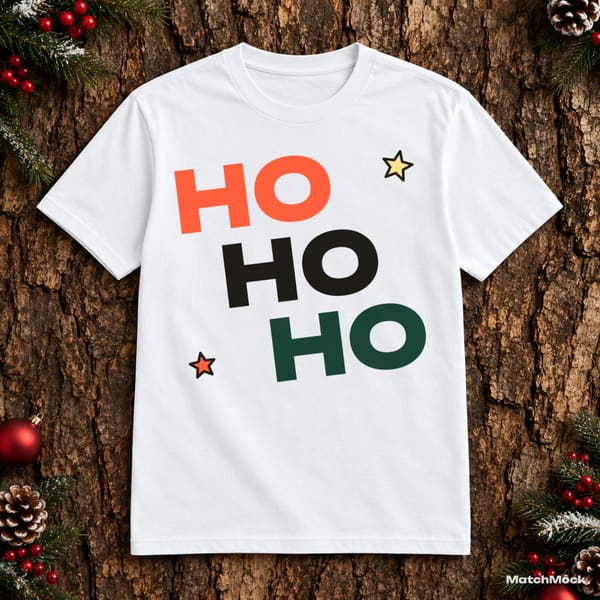
A flat lay is the shirt photographed from straight above, spread out on a table or wood floor with a few props around it. It shows the whole design without a body or a hanger in the way, which is why it is the most common first photo on shirt listings.
Because the camera looks straight down, a flat lay is forgiving: the print area is almost square, and your artwork keeps its shape. MatchMock still bends the design slightly with the fabric and adds the shirt’s own shading, so the print does not look pasted on.
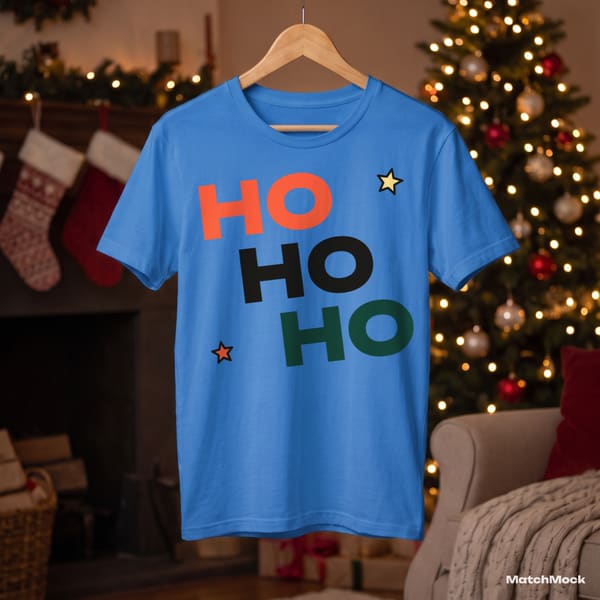
The flat lays here are white on wood, light blue, pink and forest green, each surrounded by holiday props. Use them as the hero photo and keep hanger shots for the rest of the gallery.
Made with MatchMock
Real photos with our sample designs placed by the MatchMock engine, free-plan watermark included. Tap one to see it at full size.




Try it, no sign-up
Runs in your browser. Your file never leaves your device.
No design handy? Try one of ours:
How to do it, step by step
Upload your designs
PNG with a transparent background works best. MatchMock checks the resolution and transparency of each file when you add it.
Filter for flat lays
In the mockup picker, filter by shot to see only flat lays, then tick the colours you sell.
Choose a placement
Pick centre chest, left chest or full front, or drag the design where you want it. Save it once and apply it to every flat lay.
Match and preview
Tick the design and mockup pairs you want and check them in the large preview.
Download
Free images are up to 1500 px; Pro images are 3000 px or 4:5 portrait, without a watermark.
Questions
What is a flat lay t-shirt mockup?
A photo of a shirt laid flat and shot from above, usually with props around it. Your design is placed on the shirt’s print area so it looks printed.
Flat lay or hanger: which should go first?
Many sellers lead with a flat lay because it shows the full design head-on, and add hanger shots further down the gallery. Try both; MatchMock makes both from the same designs.
Can I use the same placement on every flat lay?
Yes. Saved placements can apply to one mockup, to every mockup of the same shot type, or to all your mockups.
Can I upload my own flat lay photos?
On Pro, yes. Upload the photo, mark the print area by its 4 corners, check a test preview and save it. The free plan uses the MatchMock library only.
Is it free?
The free plan costs $0 and needs no card: 20 images a month, up to 1500 px, with a small watermark and up to 5 designs per batch.
Related mockup pages

Make your first set free
20 images a month on the free plan. No card needed.
Start free →