T-shirt color mockups
Buyers choose a colour before they choose a size, and a colour swatch alone doesn’t tell them how your design looks on it. A colour mockup answers that: the same design on the same shot, once per shirt colour.
In MatchMock, photos that are the same shot in different colours are grouped. Tick the colours you sell and your design is placed on each real photo. On white and light shirts with no photo in a colour you need, MatchMock can tint the shirt instead, marked “approximate colour” so you know it is not a real photo.
The colour variants screen also builds a colour chart image for the end of your listing gallery. The chart is free: it doesn’t count towards your monthly images.
Made with MatchMock
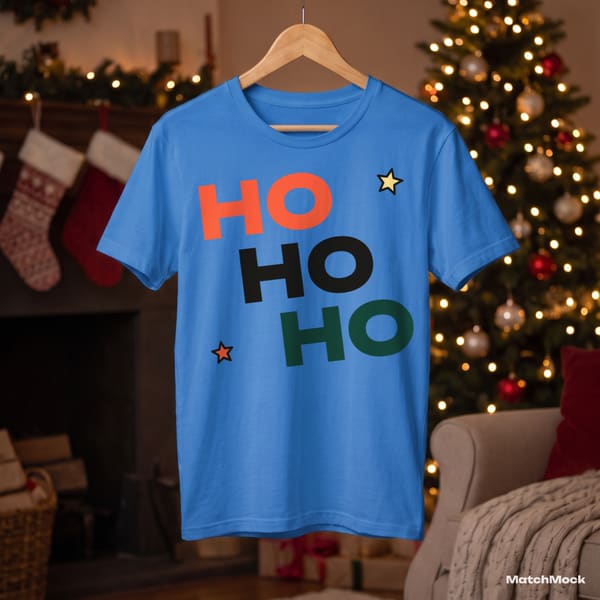
Real photos with our sample designs placed by the MatchMock engine, free-plan watermark included. Tap one to see it at full size.




Try it, no sign-up
Runs in your browser. Your file never leaves your device.
No design handy? Try one of ours:
How to do it, step by step
Upload your design
Add the PNG, plus a light-ink version if you sell dark colours.
Open colour variants
Pick a mockup and open its colour variants: every colour of the same photo is listed together.
Tick the colours you sell
Choose the colours from your product listing. Real photos come first; approximate colours are labelled.
Make the colour chart
Add the colour chart image, which shows all your colours side by side for the last photo of the listing.
Download
Each colour is its own image in the ZIP, ready to attach to the matching listing option.
Questions
Are the colours real photos or recoloured?
Real photos whenever the shot exists in that colour. A tinted version is only offered on white and light shirts, and it is labelled “approximate colour”.
Does each colour count as an image?
Yes, each colour variant is one image, so a design in 6 colours uses 6 of the 20 free images a month. The colour chart doesn’t count.
What about dark colours?
Upload a light-ink version of your design and use it on the dark colours. MatchMock doesn’t invert colours automatically.
Can I keep the same placement on every colour?
Yes. The colours are the same shot, so a saved placement lands in the same spot on each one.
Is there a limit on colours on Pro?
No. Pro is $10 a month, or $72 a year ($6 a month): unlimited images, up to 3000 px including 4:5, no watermark and no batch limit.
Related mockup pages


Make your first set free
20 images a month on the free plan. No card needed.
Start free →